
Production wardrobe
A core building's Production Storage opens the controls appropriate to that building. The town warehouse's Building Outputs also lets you collect resources while they remain in their original stores.
What opens at each building
- Farm: the Scarecrow Fields planner opens directly. Paint crops, supply seeds, review soil and collect harvests there. The separate Building Output screen is hidden.
- Barn: use the herd controls to assign owned animals, supply food and view Resources. Production follows assigned, active animals, not a generic choice of outputs.
- Lumbermill: manage Rootstones and collect grove output. Older mills retain their original production until their first Rootstone is bound.
- Conservatory: open the Spirit Garden to manage planters and collect plants and petals.
- Miner's Hut: choose unlocked resources and collect output. Physical mines require accessible nodes, the Miner's Mastery and an appropriate Pickaxe.
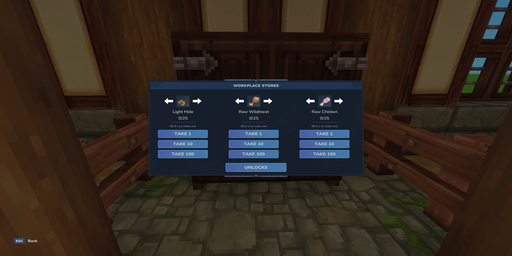
- Hunter's Lodge: collect the spoils of ordered arena runs from lodge storage.
Open Production buildings for dedicated setup pages. A Townsfolk Farming or Ranching workplace has no item-output cupboard: it contributes food support instead.
Storage, unlocks and upgrades
Collect all also recovers older stock whose resource is no longer selected. Milk needs empty buckets. Full storage can pause further production. Couriers can collect eligible resources for workplace tasks.
Where a building has output choices, selecting a resource does not bypass its Mastery, tool or unlock requirements. Read the screen's missing requirement and train or equip the named specialist.
Use the building's own upgrade controls for capacity, speed and its physical system. Farm, grove and garden upgrades affect their named fields, stones or planters. Warehouse upgrades do not expand every production store.
Keep paths and work areas accessible and loaded. Core specialists follow their schedules; the Townsfolk priority grid controls Apprentice jobs.